![mAIscribe - main logo - hi-res (4000 x 1000 px).png]](https://help.maiscribe.com.au/hs-fs/hubfs/mAIscribe%20-%20main%20logo%20-%20hi-res%20(4000%20x%201000%20px).png?width=200&height=50&name=mAIscribe%20-%20main%20logo%20-%20hi-res%20(4000%20x%201000%20px).png)
What is Edit with AI?
Edit with AI is a new feature located inside all generated documents that allows you to refine any generated document by giving it natural-language instructions (prompts).
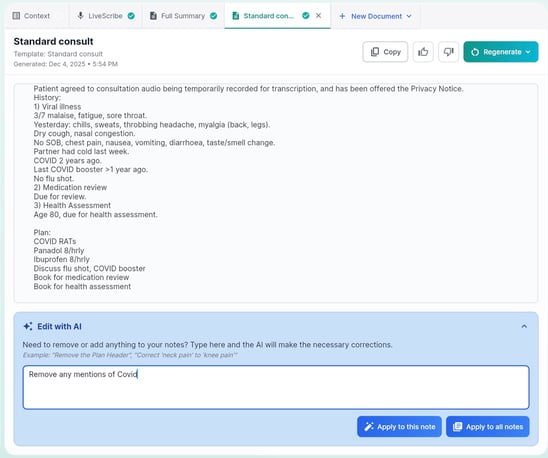
Watch it in action:
What You Can Use It For
-
Removing or adjusting sensitive details
-
Rewriting a section in a different tone
-
Adding missing information
-
Shortening or expanding a note
-
Correcting terminology specific to your specialty
-
Ensuring multiple documents stay consistent
How It Works
1. Open a Generated Document
Choose any document or notes generated (except for LiveScribe) where you want to make edits and open that tab.
2. Enter Your Instruction
Type a clear, simple request:
Example:
- “Exclude any mention of the mental health care plan"
- "Include one more SMART goal related to weight loss"
- "Correct mention of right arm to left arm"
3. Choose Scope
You can apply your edit in one of two ways:
-
This note only – updates just the document you’re viewing.
-
All notes – scans through all documents created in that consultation and applies the same edit.
4. AI Applies the Changes
The system processes your request and updates the content accordingly after a few seconds.
Give it a try and let us know how it works for your workflow.