.png?height=120&name=mAIscribe%20-%20main%20logo%20-%20hi-res%20(4000%20x%201000%20px).png)
History is the page where mAIscribe will temporarily store your consults and dictations.
The "History" page temporarily stores your recordings and documents, giving you quick access to recently generated notes.
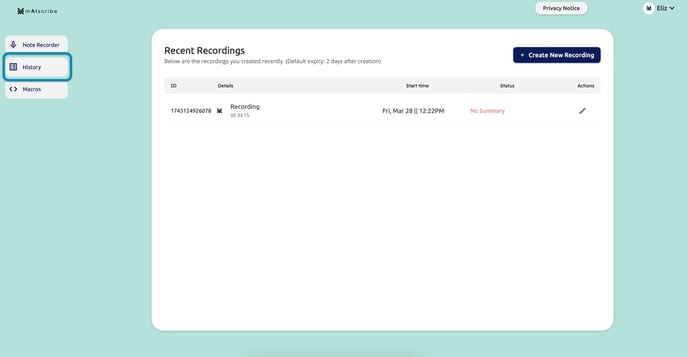
What You'll Find in History:
- List of Consults: Displays consults/recordings by date and time.
- Edit or Finalise Notes: Select a recording by clicking on the "Actions" pencil icon to go back and review, edit or generate new documents
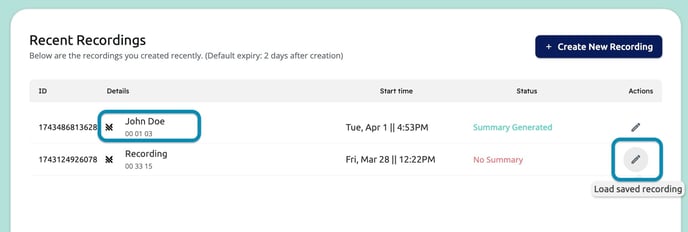
If you have added your patients name to the consultation, it will show here. This is recommended as it will help you find your recordings faster.
By default, recordings are stored for 24h and documents are stored for 9 days before being deleted. If you'd like to change that, let us know.
If you are using Maia to sync EMR information, make sure you clear your consultation (click "Next Patient") before loading a past recording.
This way you'll avoid the past recording interacting with the current patient data loaded on the screen and creating mismatched notes.