![mAIscribe - main logo - hi-res (4000 x 1000 px).png]](https://help.maiscribe.com.au/hs-fs/hubfs/mAIscribe%20-%20main%20logo%20-%20hi-res%20(4000%20x%201000%20px).png?width=200&height=50&name=mAIscribe%20-%20main%20logo%20-%20hi-res%20(4000%20x%201000%20px).png)
We have released a new exciting version of mAIscribe - a beautiful redesign that will make it even easier to navigate, generate and edit notes and documents and optimise your billings.
See below what's new:
1. Fully Redesigned Interface
-
New, modern layout and refreshed look across the app
-
Faster performance: updates that previously took several seconds are now almost instant
-
More tooltips and guidance throughout the interface
2. Updated Menu Sidebar and Main Page
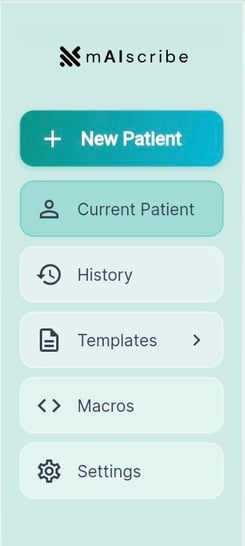
- A streamlined Menu sidebar for quicker navigation
- Reprioritised and dedicated spaces for AI Assistant, EMR Context and notes overview
- A lot more space for your notes
3. New Demographics Bar
-
Automatically displays patient demographics when EMR Sync is enabled
-
You can now manually edit details (Name, age, gender) if needed
4. Updated Recording Controls
- Recording panel redesigned into a compact widget that now sits at the top right corner with clearer controls and indicators
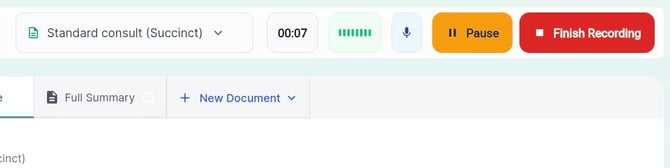
- Audio setting can be easily accessed via the microphone icon
-
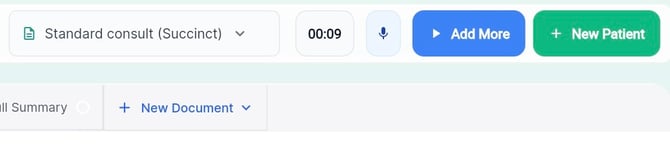
Finish Recording and Add More buttons have been added
-
Pause stops the microphone without ending the consult - and doesn't generate a Full Summary
-
Finish Recording triggers the AI to generate the summary
-
Add More allows you to continue recording after you've finished the recording if new information arises
- +New Patient button appears after recording has been finished, allowing you to move to the next consultation right from the same panel
5. Repositioned Templates Menu
-
Template selector moved to the top right
-
Templates are now organised into clear categories:
-
Consult notes (succinct, detailed, brief)
-
Care plans & Assessments (MHCP, CCM, Heart Health Check, etc.)
-
Letters & referrals
-
Administrative documents
-
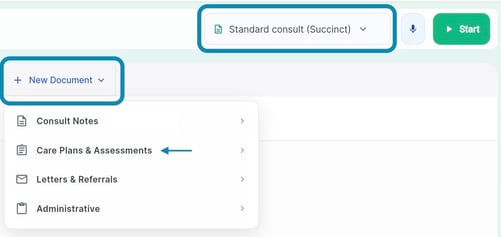
- If you’re missing any templates shown in the video, our team can add them for you.
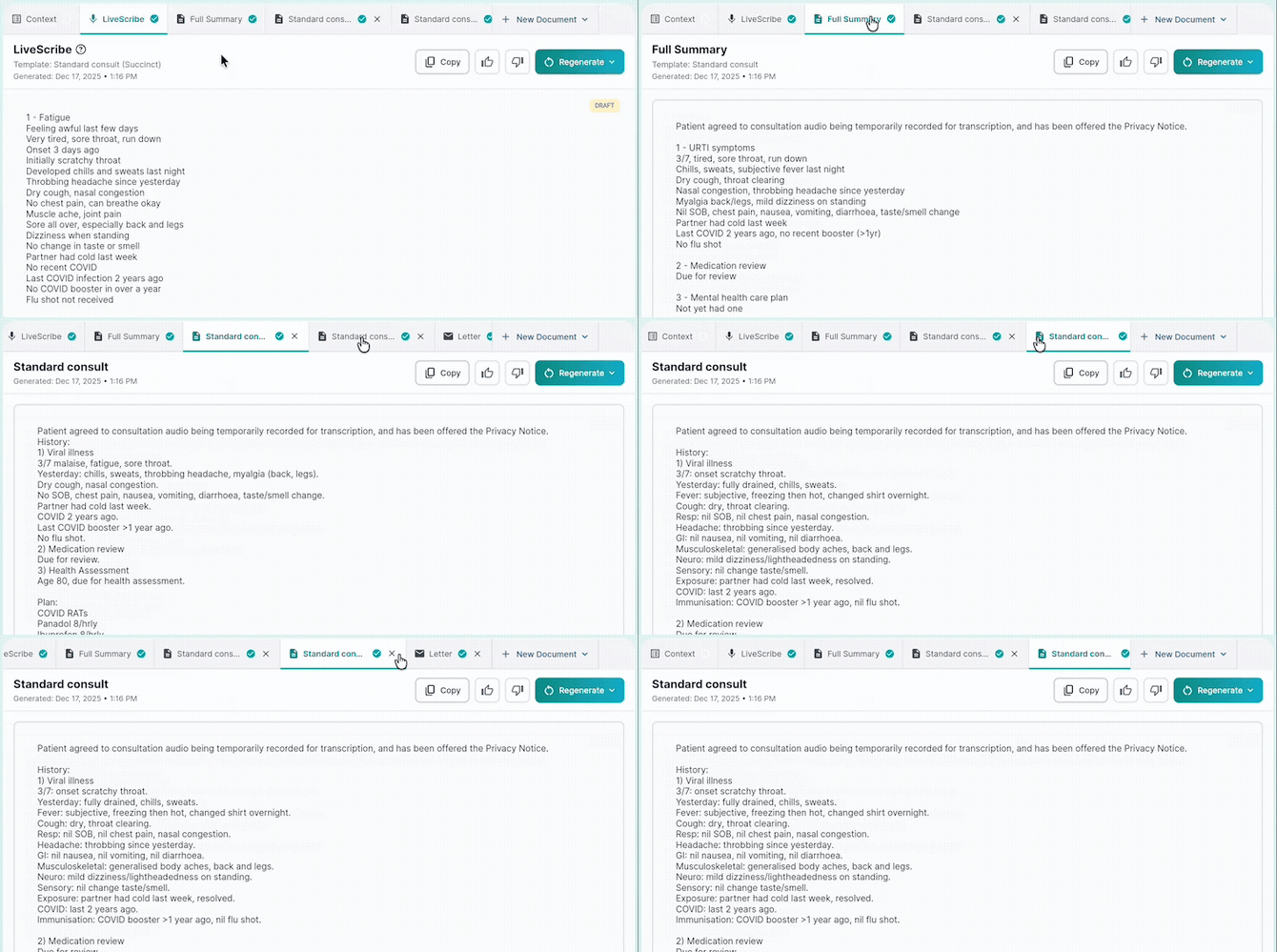
6. New Multi-Document Workflow
-
Now, unlimited documents and notes can be generated and saved within the same recording/patient
-
+New Document button opens additional tabs using any template you choose
7. “Edit with AI”
-
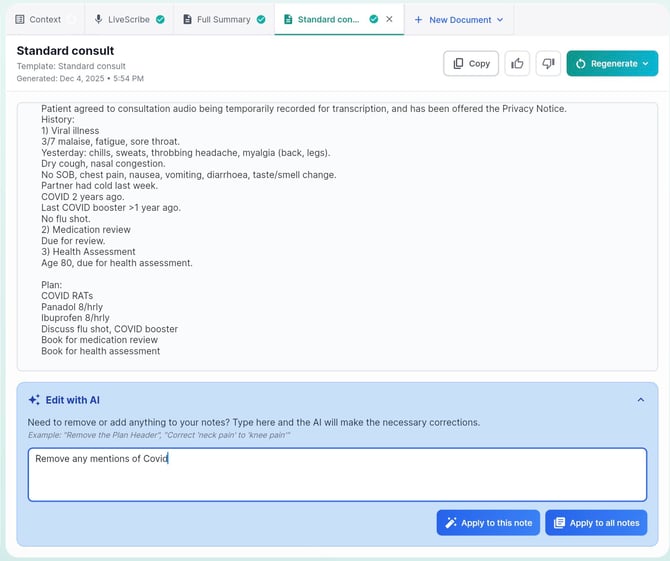
New feature allowing you to prompt AI to make adjustments to any generated document
-
Simply select a document tab and describe the change you want - the change can then be applied to only that document/note you have open or to all
8. Improved Context
-
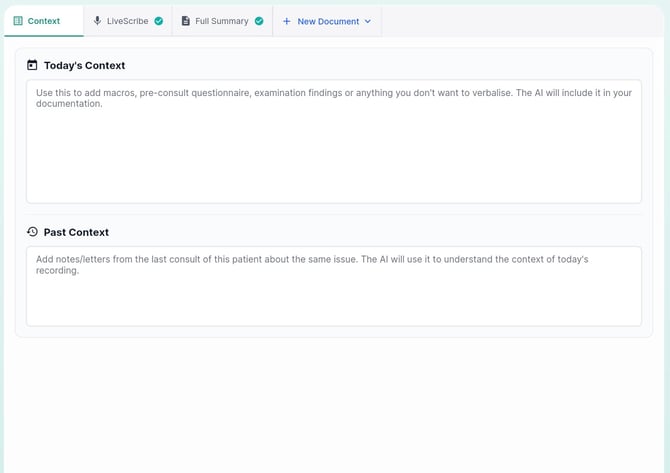
Context is now a dedicated tab with “Today’s context” and “Past context”
-
The information added into Context will be processed once a document is generated. If you add more information after a note is generated, you'll need to regenerate
9. Updated Action Buttons
-
All core actions moved to the upper right:
-
Copy to clipboard
-
Thumbs up/down
-
Regenerate - you can now choose the same or different template and a new tab will open
-
10. Improved History & Recording Management
-
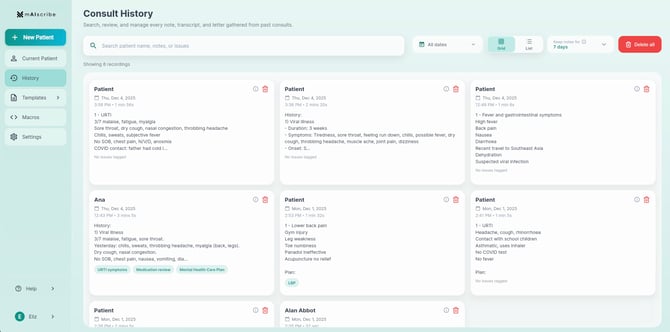
Option for tile or list view, for faster scanning
-
Ability to search recording by keywords in the notes
-
Ability to delete records and set your preferred retention period
11. New “New Patient” Shortcut
-
You can now start the next consult from either the main menu bar on the left or from the recording control.
12. New Template Library
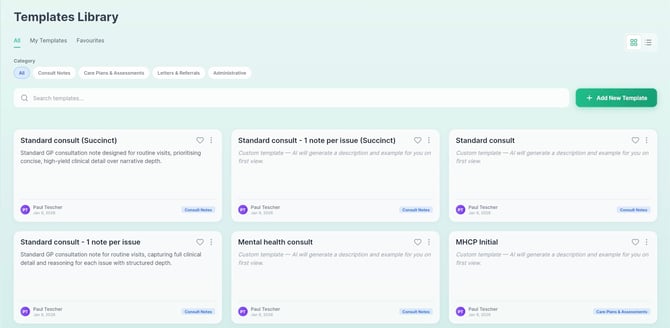
- Ability to preview Templates and Edit them